
en

LostieLauncher

All of EricLostie's games, in one place

Browse the catalog, download your games and keep them always up to date from a clean, fast interface built for Windows.

Version 0.9.0

Free · Open source · Updates itself

  • Full game library
  • One click, no accounts or sign-ups
  • Automatic updates
  • 8 languages available

Explore the launcher visually
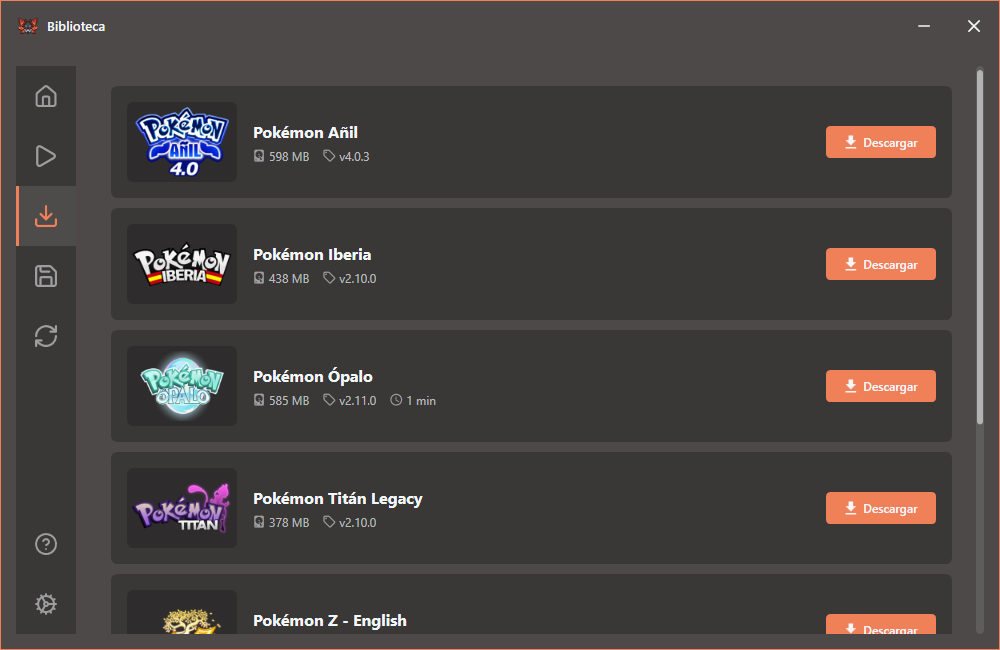
LostieLauncher screenshot with the Volcarona theme

How to download & install

You'll be playing in under a minute. No weird setup.

  1. Download the installer

    Hit the download button and save LostieLauncher-win-Setup.exe to your computer.

  2. Run the installer

    Double-click the downloaded file. The launcher installs and opens automatically when it's done.

  3. Pick your game

    Open the Library, press Download on the game you want and wait for the download to finish.

  4. Play!

    Hit Play from My games. The launcher updates itself and keeps your games up to date.

If Windows SmartScreen shows a warning, click "More info" and then "Run anyway". The installer is signed with an independent developer signature that Windows doesn't know well yet — it isn't dangerous.